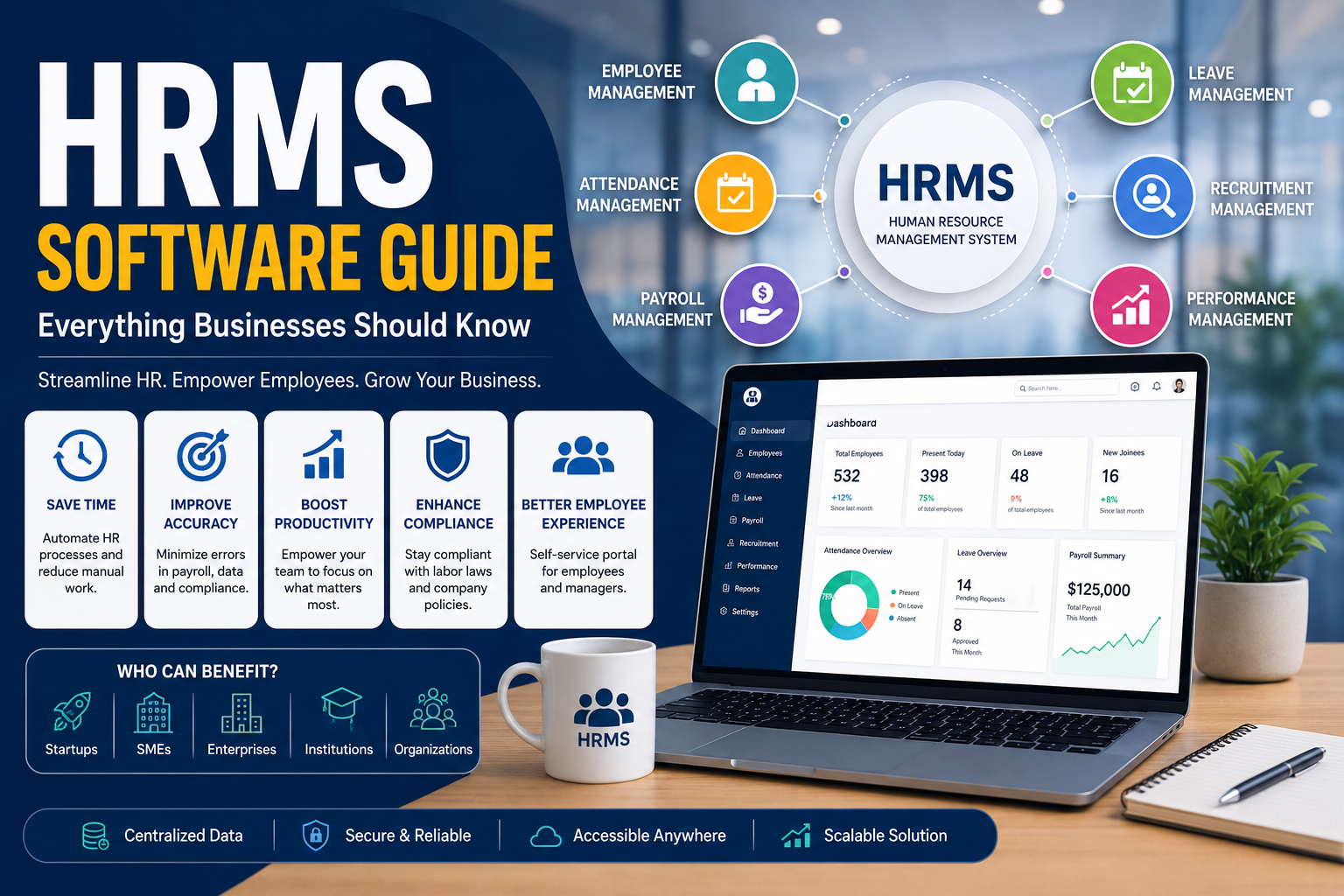
HRMS Software Guide: Everything Businesses Should Know (2026 Complete Guide)
Managing employees efficiently has become more challenging as businesses grow. Manual HR processes, spreadsheets, paper records, and disconnected systems often lead to payroll errors, compliance issues, and reduced productivity. This is where HRMS software plays a crucial role.
A Human Resource Management System (HRMS) helps businesses automate HR operations, manage employee data, streamline payroll, monitor attendance, improve recruitment, and enhance employee engagement—all from a single platform.
Whether you're a startup, SME, or enterprise, this guide explains everything you need to know about HRMS software, its benefits, features, implementation process, and why it's becoming an essential business tool in 2026.
What is HRMS Software?
HRMS (Human Resource Management System) is software designed to automate and simplify human resource operations.
Instead of managing employee records manually, HR teams can use an HRMS platform to handle recruitment, onboarding, payroll, attendance, leave management, performance reviews, training, compliance, and employee records through one centralized system.
The goal of HRMS software is to reduce administrative work while improving accuracy, efficiency, and employee experience.
Why is HRMS Software Important?
As organizations grow, HR responsibilities increase significantly.
Without an HRMS, businesses often struggle with:
- Manual employee records
- Payroll mistakes
- Attendance tracking issues
- Leave management confusion
- Compliance risks
- Slow recruitment
- Difficult performance evaluations
HRMS software automates these processes, allowing HR teams to focus on strategic initiatives rather than repetitive administrative tasks.
Key Features of HRMS Software
Employee Information Management
Store and manage complete employee profiles including:
- Personal details
- Employment history
- Documents
- Contracts
- Emergency contacts
- Certifications
Everything is securely stored in one centralized location.
Attendance Management
Modern HRMS systems automatically record employee attendance using:
- Biometric devices
- Mobile applications
- GPS check-ins
- QR code attendance
- Web login
This eliminates manual attendance registers.
Leave Management
Employees can:
- Apply for leave
- Track leave balance
- Receive approvals
- View leave history
Managers can approve requests with just a few clicks.
Payroll Management
Payroll automation includes:
- Salary calculations
- Tax deductions
- Bonuses
- Overtime
- Incentives
- Payslip generation
- Direct bank transfers
Automation minimizes payroll errors while ensuring timely salary processing.
Recruitment Management
HRMS software helps organizations:
- Post job openings
- Track applicants
- Schedule interviews
- Evaluate candidates
- Send offer letters
- Complete onboarding
This creates a faster hiring process.
Employee Self-Service Portal
Employees can independently:
- Download payslips
- Update personal information
- Apply for leave
- Access company policies
- View attendance
- Submit reimbursement claims
This reduces HR workload.
Performance Management
Managers can:
- Set goals
- Conduct appraisals
- Track KPIs
- Provide feedback
- Identify high performers
- Plan employee development
Document Management
Store important documents securely, including:
- Employment contracts
- ID proofs
- Educational certificates
- Salary records
- Compliance documents
Digital storage improves accessibility and security.
Benefits of HRMS Software
Implementing an HRMS offers significant advantages:
Saves Time
Automates repetitive HR tasks, reducing manual work.
Improves Accuracy
Minimizes payroll, attendance, and employee record errors.
Better Employee Experience
Employees gain easy access to HR services through self-service portals.
Increases Productivity
HR professionals spend more time on talent management instead of paperwork.
Strengthens Compliance
Keeps employee records organized and supports compliance with labor regulations.
Better Decision-Making
Built-in analytics provide insights into workforce trends, attendance, recruitment, and performance.
Types of HRMS Software
Cloud-Based HRMS
Hosted online and accessible from anywhere.
Ideal for:
- Startups
- SMEs
- Remote teams
- Growing businesses
On-Premise HRMS
Installed on company servers.
Suitable for organizations with strict data control requirements.
Hybrid HRMS
Combines cloud accessibility with on-premise infrastructure.
Suitable for large enterprises.
How HRMS Software Works
A typical HRMS follows this workflow:
- Employee information is added.
- Attendance is tracked automatically.
- Leave requests are submitted online.
- Payroll is generated using attendance and salary rules.
- Managers review performance.
- HR generates reports and analytics.
- Employees access HR services through a self-service portal.
Everything remains synchronized within one platform.
Who Should Use HRMS Software?
HRMS software benefits businesses of all sizes, including:
- Startups
- Small businesses
- Manufacturing companies
- IT companies
- Educational institutions
- Hospitals
- Retail businesses
- Logistics companies
- Government organizations
- Large enterprises
How to Choose the Right HRMS Software
When selecting an HRMS solution, consider:
- Ease of use
- Cloud accessibility
- Mobile support
- Payroll integration
- Attendance management
- Employee self-service
- Custom workflows
- Reporting capabilities
- Data security
- Customer support
- Scalability
Choose software that can grow alongside your business.
Common Challenges Without HRMS
Organizations relying on manual HR processes often face:
- Payroll inaccuracies
- Lost employee records
- Delayed approvals
- Compliance issues
- Poor reporting
- Time-consuming administrative work
- Limited employee visibility
An HRMS helps overcome these challenges through automation and centralized data management.
Future of HRMS Software
HRMS platforms are evolving with advanced technologies such as:
- Artificial Intelligence (AI)
- Predictive workforce analytics
- Automated recruitment
- Employee sentiment analysis
- Chatbots for HR support
- Digital onboarding
- Remote workforce management
- Advanced reporting dashboards
These innovations enable businesses to make smarter workforce decisions while enhancing employee satisfaction.
Frequently Asked Questions (AEO)
What is HRMS software?
HRMS software is a digital system that automates human resource processes such as employee management, payroll, attendance, leave, recruitment, and performance management.
What is the difference between HRMS and HRIS?
HRIS mainly focuses on employee information management, while HRMS includes additional features such as payroll, performance management, recruitment, and employee development.
What are the main benefits of HRMS software?
HRMS software saves time, reduces manual work, improves payroll accuracy, streamlines HR operations, enhances employee experience, and supports compliance.
Is HRMS suitable for small businesses?
Yes. Modern cloud-based HRMS solutions are affordable, scalable, and suitable for startups, small businesses, and large enterprises.
Can HRMS integrate with payroll systems?
Yes. Most modern HRMS platforms integrate payroll, attendance, accounting, biometric devices, and other business applications.
Does HRMS improve employee productivity?
Yes. By automating routine HR tasks and providing self-service tools, HRMS allows employees and HR teams to work more efficiently.
Conclusion
HRMS software has become an essential tool for organizations aiming to streamline human resource management, improve employee experiences, and support business growth. By automating key HR functions such as payroll, attendance, recruitment, and performance management, businesses can reduce administrative effort, improve accuracy, and make data-driven decisions.
Whether you operate a startup or a large enterprise, investing in the right HRMS solution can help you build a more efficient, productive, and future-ready workforce. If you're planning a custom HRMS tailored to your business processes, CodingRig can design and develop a secure, scalable solution that fits your organization's unique needs.